

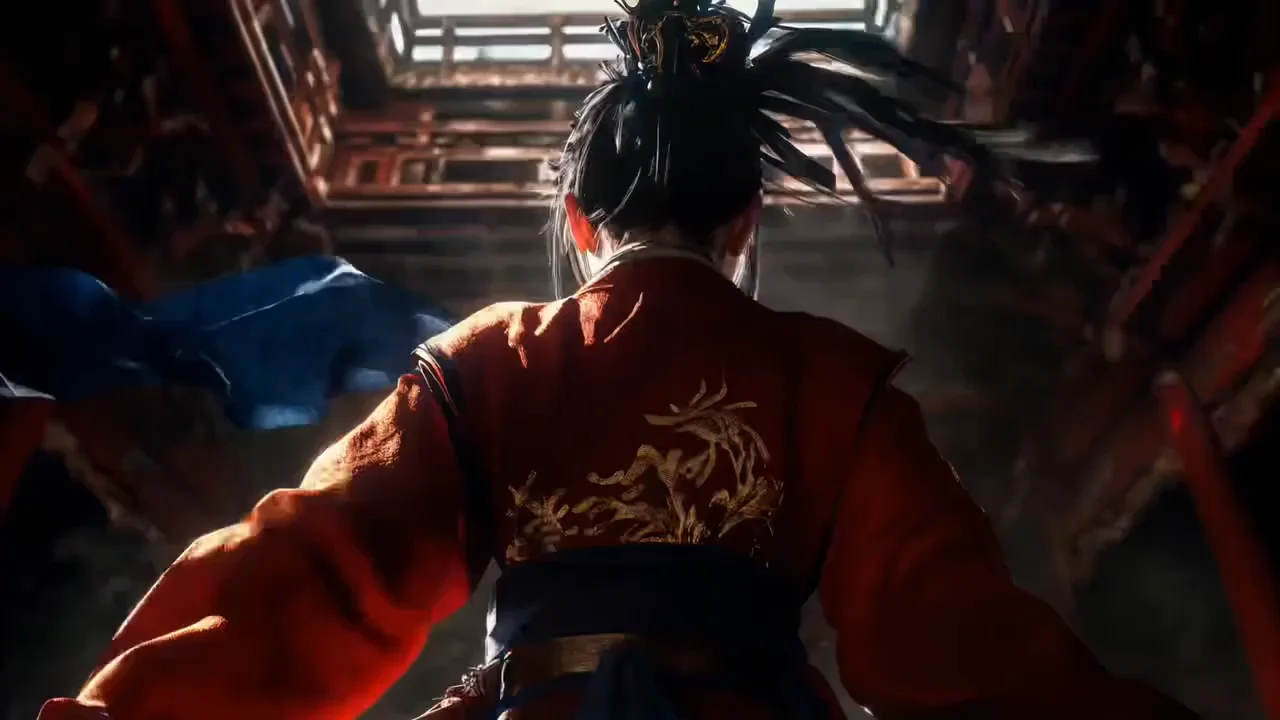
MAGI-2: Trình tạo video AI
Turn a prompt, a photo, or up to 20 references into 4–30s 1080p video — lip-synced dialogue, sound effects and music generated in the same pass. GetMAGI2 is a third-party video generator operated independently of Sand AI.
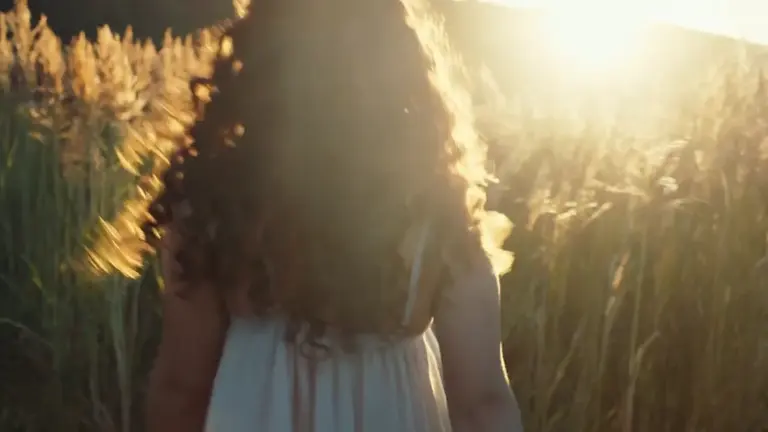
Golden hour shot. A young woman with curly hair walking in a field of tall grass turns back to look at the camera and smiles genuinely. The low sun is behind her, creating a beautiful rim light (backlight) on her hair. Dust motes dancing in the light. Handheld camera feel, warm and nostalgic.
MAGI-2 in One Minute: Architecture, Release Dates and Open Weights
MAGI-2 is Sand.ai's unified audio-video generation model, fully launched in November 2026: a 480B-parameter Mixture-of-Experts model (~28B active parameters) trained on 4 trillion tokens. It is best known for generating native 1080p video with synchronized dialogue, foley, and music, plus multi-reference and shot-cut control. Here is what is out as of November 2026 and how you can access it.
- Made by
- Sand.ai, the team behind the MAGI series
- Announced
- August 2026 (MAGI-2 Preview), with the full 480B model launched in November 2026
- Models so far
- MAGI-2 (480B total / ~28B active) and MAGI-2 Preview (114B total / ~6B active)
- What it makes
- Native 1080p, 25 fps video up to 30 seconds with synchronized audio (dialogue, foley, and music), supporting up to 20 reference inputs and shot-cut controls
- Latest release
- MAGI-2 (480B), November 2026
- Reached an Elo score of 1150.3 on Artificial Analysis Video Arena v2.1 (+151.8 over the preview model).
- Open weights
- MAGI-2 Preview (114B) only
- The preview weights (~307 GB) are available on Hugging Face (sand-ai/MAGI-2-preview). The full 480B MAGI-2 model is hosted only.
- Official access
- Available through Higgsfield and its API starting at $0.08 per second
- On this site
- Create MAGI-2 videos with text, images, or media references using paid credits.
- Generation access
- Paid credits required.
- Choose a one-time credit pack or a subscription on the pricing page.
Xem MAGI-2 qua các video mẫu
Bốn ví dụ từ buổi ra mắt của Sand.ai cho thấy cách MAGI-2 chuyển đổi phong cách, sử dụng ảnh tham chiếu, cắt cảnh theo thời điểm chỉ định và chỉnh sửa từng chi tiết.
Năm phong cách hội họa
Năm bức tranh tham chiếu định hình các phong cách trong cùng một đoạn phim. Nhân vật bước đi liên tục suốt 30 giây trong khi phong cách hình ảnh thay đổi.
Mở studio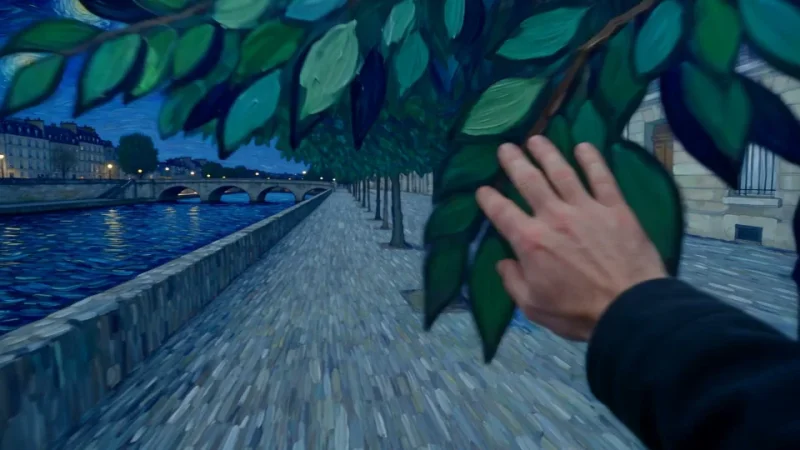
Những khu vườn hoa khổng lồ
Cùng một lữ khách trong bộ trang phục ấy đi qua sườn đồi hoa diên vĩ, vườn hồng và thung lũng hoa ly. Ảnh tham chiếu định hình từng cảnh.
Mở studio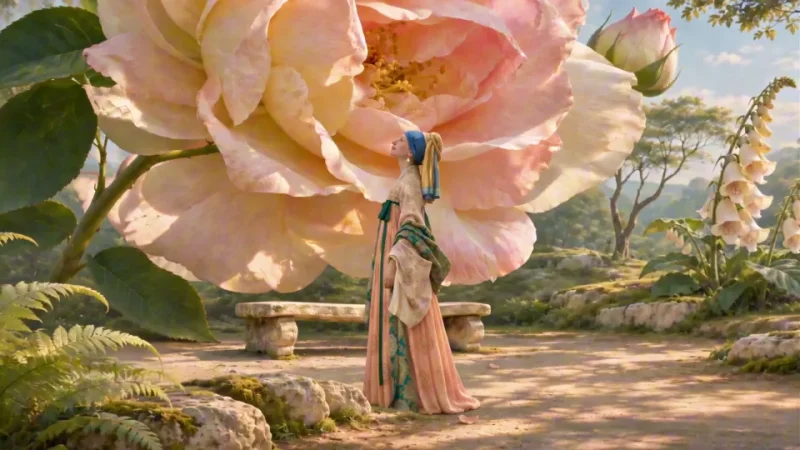
Cắt cảnh đúng thời điểm
Video minh họa chuyển cảnh vào những thời điểm được yêu cầu trong câu lệnh.
Mở studio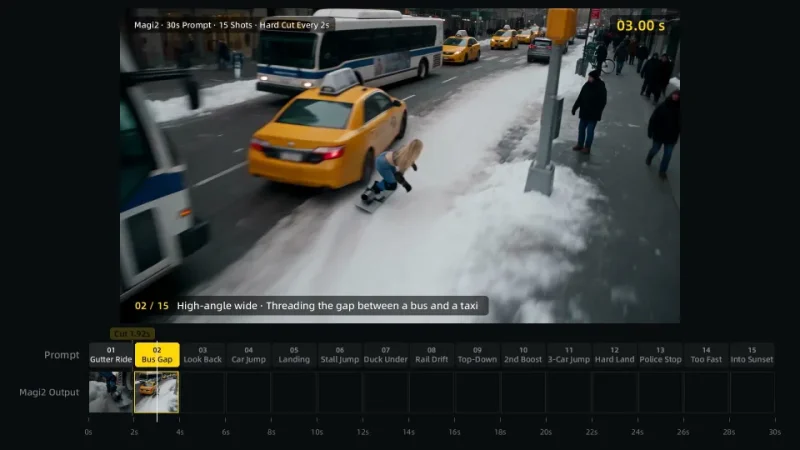
Chỉnh sửa video quay màn hình
Video minh họa thay tiêu đề Preview bằng MAGI-2 ngay trong bản quay màn hình ban đầu.
Mở studio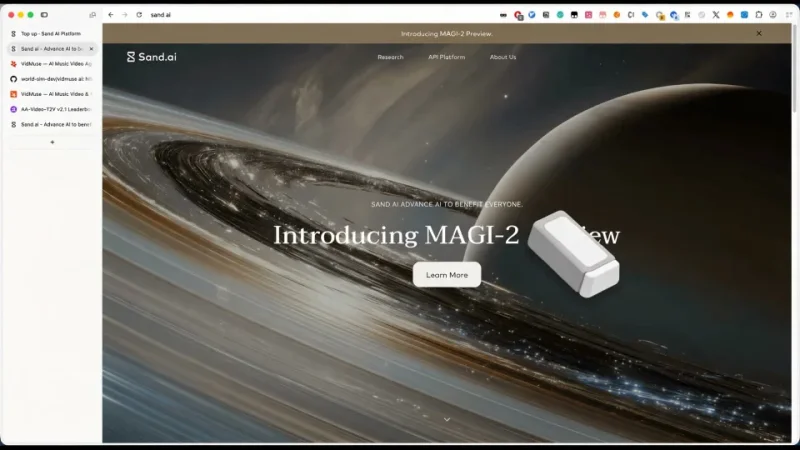
How MAGI-2 Creates AI Video in Seconds
Sand.ai's 480B-parameter Mixture-of-Experts model activates about 28B parameters to generate video and synchronized audio together. It upscales clips to 1080p at 25 fps, with supported durations of 4 to 30 seconds.
- 1
Unify text, video, and audio
One Transformer processes text, video, and audio tokens in a single stream. It generates the picture and soundtrack together, including dialogue, sound effects, foley, and music. Supported APIs let you turn generated sound off.
- 2
Scale with expert routing
Multi-Head Latent MoE splits tokens into independent heads and exchanges their activations across GPUs before routing each head to local experts. Sand.ai pretrained on 4 trillion tokens, then used targeted post-training to improve visual and acoustic detail.
- 3
Direct shots with references
Use up to 10 images, 5 videos, and 5 audio clips. Prompt for camera motion, framing, timing, and cuts, and choose from six aspect ratios. Targeted edits to existing video depend on the provider’s interface.
- 4
Refine to 1080p
A dedicated upscaler can use the original reference images to recover fine details such as faces and text. The August Preview used a separate two-stage pipeline for fixed 10-second clips, with its own 1080p refiner.
Inside MAGI-2: Your Complete Trình tạo video AI Toolkit
Describe a scene, animate a photo, or build a clip around media references in the browser.
Văn bản thành video
Start with a description of the scene, the camera movement, and the sound. Use text-to-video for short social clips, product explainers, and storyboard drafts.

Hình ảnh thành video
Use a product photo, character still, or design frame as a starting point. Describe the movement or camera direction for a short ad, reel, or demo.
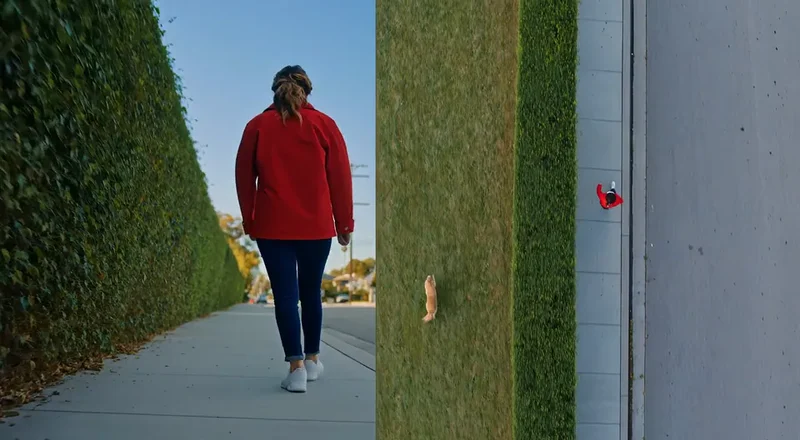
Explore visual styles
Specify lighting, framing, and movement to explore candid looks, animation, and product-focused clips.

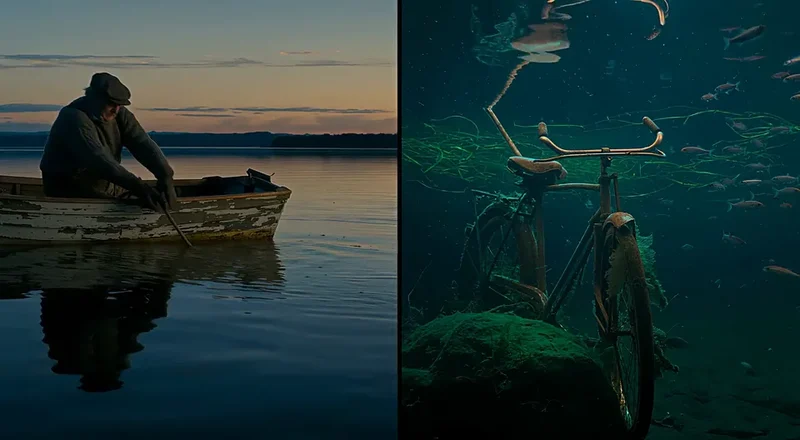
Tạo video từ tư liệu tham chiếu
Use images for appearance, video for motion, and audio for sound. A request can include up to 10 images, 5 videos, and 5 audio references.
My creations
Open My creations in the studio to review your recent generations and download completed videos.
Credit pricing
Review the credit cost before generating. The pricing page lists credit packs and subscription options.
Explore MAGI-2
Browse MAGI-2 video workflows, prompt ideas, model weights, and pricing.
Hình ảnh thành video
Animate a first frame with motion and synchronized sound.
Văn bản thành video
Describe a scene, camera motion, and the sound you want.

Tạo video từ tư liệu tham chiếu
Guide a new clip with image, video, or audio references.

MAGI-2 Studio
Choose a generation mode, duration, and aspect ratio in the browser.

Prompt ideas
Browse sample clips and load a prompt into the generator.
MAGI-2 Preview weights
Read about the downloadable 114B Preview and its hardware requirements.
MAGI-2 pricing
See the credit cost and compare subscriptions and one-time credit packs.
So sánh MAGI-2 với Seedance 2.5, Wan 3.0 và Kling 4.0
Trong bảng xếp hạng Arena của Higgsfield ngày 24 tháng 11 năm 2026, MAGI-2 đứng thứ hai và dùng khoảng một phần sáu số điểm tín dụng web của Seedance 2.5 cho mỗi giây video. Qua API Higgsfield, MAGI-2 có giá 0,08 USD mỗi giây video tạo ra. Trong một lần so sánh video 6 giây ở độ phân giải 1080p với Wan 3.0, một nhà sáng tạo nhận thấy video của MAGI-2 trông tự nhiên hơn và mất nhiều thời gian tạo hơn.
| MAGI-2“Biggest day in AI video” · @ChetasluaMở Studio | Seedance 2.5 | Wan 3.0 | Kling 4.0 | |
|---|---|---|---|---|
| Hạng | #2 | #1 | #4 | #5 |
| Điểm | 1146 | 1219 | 923 | 872 |
| Tín dụng web mỗi giây video | 2,5 | 16 | 4,4 | 4,1 |
| Tỷ lệ thắng đối đầu của MAGI-2 | — | 39% | 79% | 83% |
Why Creators Choose This MAGI-2 Trình tạo video AI in 2026
A browser workspace for short video with synchronized sound, flexible references, and credit pricing.
Use it in the browser, no API key
Sign in to the studio, add a prompt or media, and submit a clip from the browser.
Video and sound together
MAGI-2 can generate synchronized dialogue, ambience, sound effects, and music with the video.
1080p clips up to 30 seconds
Set a duration from 4 to 30 seconds and choose an aspect ratio for your output.
Three ways to start
Start with a text prompt, a first image, or a set of image, video, and audio references.
Clear credit pricing
Review the credit cost before submitting. Choose a one-time credit pack or a subscription.
Independent studio
This independent workspace provides access to Sand AI's MAGI-2 video model through hosted providers.
MAGI-2 Trình tạo video AI for Creators & Teams
Where short AI video shows up day to day — from social hooks to product motion and client drafts.
- 01
For Social Creators
Draft a 5–15 second hook from a prompt or photo and choose an aspect ratio for your post.
- 02
For E-commerce & Catalog Teams
Start from a product photo and describe the motion for a short demo or product-page clip.
- 03
For Marketers & Growth Teams
Try different hooks, settings, or camera directions for creative drafts before a campaign.
- 04
For Short-Form & Story Teams
Storyboard a scene as a short clip, then iterate on the prompt or add references to guide the next version.
- 05
For Agencies & Freelancers
Prepare a moving concept for a client review. Use reference images and video to communicate appearance and motion.
- 06
For Educators & Course Creators
Turn a slide idea into a short visual explanation using a text prompt and optional audio.
Four Example Workflows for MAGI-2
Use these example briefs to plan a clip with the MAGI-2 studio.
Start with a written scene
Describe a subject, camera direction and ambient sound. Choose an aspect ratio and a duration from 4 to 30 seconds.
Văn bản thành videoPrompt input Animate a product photo
Upload a first frame and describe the motion or camera move. Use the prompt to specify what should stay in frame.
Hình ảnh thành videoFirst-frame input Guide a shot with media references
Attach images, video or audio to guide appearance, motion and sound. Give each reference a role in the prompt.
Tạo video từ tư liệu tham chiếuImage, video and audio inputs Plan dialogue and ambient sound
Write short lines of dialogue and describe ambient cues in the prompt. Keep native sound enabled when configuring the clip.
Synchronized soundAudio controls
Frequently Asked Questions About Sand AI MAGI-2
Sand AI MAGI-2 is an AI video model that generates a picture and synchronized sound together. The 480B flagship can make 1080p video with dialogue, sound effects and music, guided by a text prompt or reference media.
You can generate MAGI-2 video here using paid credits or access the model through the Higgsfield or WaveSpeed API with a provider account.
MAGI-2 generation here requires paid credits. Sample clips are available to browse for free.
Higgsfield and WaveSpeed list MAGI-2 at $0.08 per output second, including generated audio. A 5-second video costs $0.40 and a 30-second video costs $2.40 at that rate. A 4-second run is $0.32. Additional billable attempts add to the total.
Sand AI launched the 480B MAGI-2 flagship on November 24, 2026, with about 28B active parameters per token. The earlier MAGI-2 Preview was released in August 2026, with 114B total and about 6B active parameters.
As of November 25, 2026, Sand AI offers the 114B MAGI-2 Preview weights on Hugging Face under Apache 2.0. The 480B flagship is available through hosted providers, and Sand AI has announced plans to release its weights later.
Sand AI’s published setup for MAGI-2 Preview uses eight NVIDIA Hopper GPUs and about 307 GB of checkpoints. It documents a Python and CUDA inference pipeline that produces fixed 10-second clips. Check the exact model and memory requirements of any community ComfyUI workflow.
Hosted providers offer text-to-video from a prompt, image-to-video from a first frame, and reference-to-video using mixed media. One reference-to-video request supports up to 10 images, 5 video clips and 5 audio clips. Use images to guide appearance, videos to guide motion and audio to guide sound.
Yes. MAGI-2 can generate synchronized dialogue, sound effects, ambience and music. The hosted flagship produces 1080p video at 25 fps for clips of 4 to 30 seconds. WaveSpeed also offers a setting for silent output.
Both models can make clips of up to 30 seconds and use mixed references. To compare them for your project, use the same prompt, source files, duration and resolution on both. Add the cost of billable retries and divide by the number of clips you would actually use.
It depends on how and where you make and share the video. Use images, videos and recordings you have permission to use. Check the rules for copyright, privacy, a person’s likeness or voice, and any disclosure required where you publish.
Check the terms for the specific model and provider you use, plus the rights for anything in the clip such as music, footage, faces or voices. Permission to use a clip commercially and copyright protection for that clip are separate questions.
You can try a hosted generator in a web browser, or submit jobs through a hosted API. The provider runs the model on its own hardware. Running the downloadable MAGI-2 Preview yourself requires a local inference setup.

MAGI-2 Plans and Credit Packs
Choose a one-time credit pack or a subscription to start generating.